
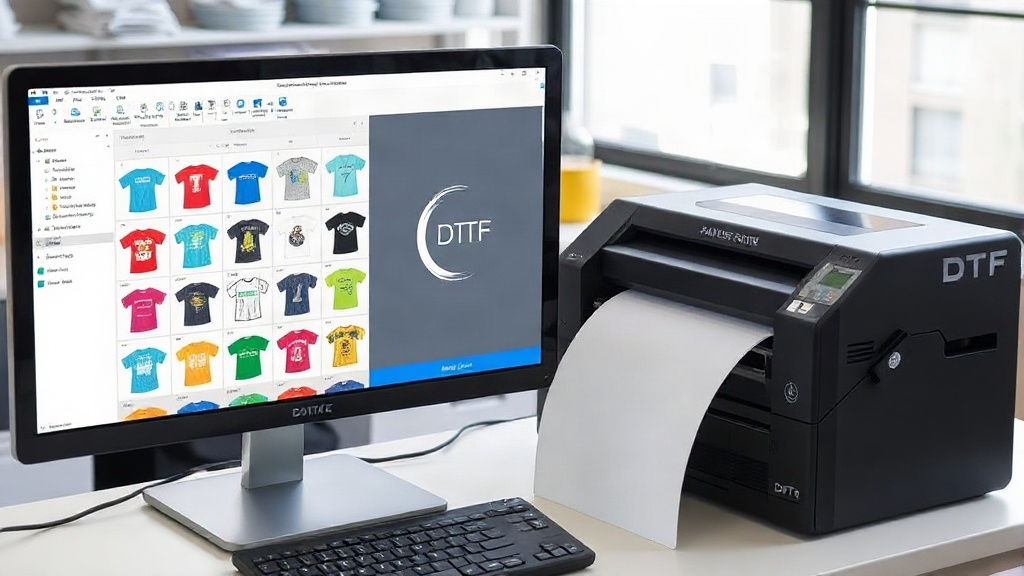
If you're in the custom apparel business, you've probably heard about DTF printing. It's a game-changer for vibrant, durable transfers on various fabrics. But did you know that how you arrange your designs before printing can make or break your efficiency? Enter the DTF gangsheet builder—a tool that lets you combine multiple designs into one sheet, saving time, money, and materials. In this guide, we'll dive deep into what a gangsheet builder is, why it's essential, and how to use it like a pro.
What is a DTF Gangsheet Builder?
A DTF gangsheet builder is software or an online tool that helps you arrange multiple DTF transfer designs onto a single sheet for printing. Instead of printing each design individually, you nest them together to maximize the use of your transfer film and ink. Think of it as a digital puzzle where you fit as many designs as possible onto one page, minimizing waste and cutting costs.
Why Use a Gangsheet Builder?
Printing DTF transfers one by one is time-consuming and wasteful. With a gangsheet builder, you can:
- Reduce material waste by up to 40%
- Cut printing time significantly by batching jobs
- Lower your cost per transfer, boosting profit margins
- Organize orders efficiently, especially for multiple customers
Whether you're a small shop or a large-scale operation, a gangsheet builder is a must-have in your DTF printing arsenal.
How to Choose the Right DTF Gangsheet Builder
Not all gangsheet builders are created equal. When selecting one, consider these factors:
1. Ease of Use
Look for an intuitive interface that lets you drag and drop designs, resize, and rotate easily. Time is money, and a steep learning curve will eat into your productivity.
2. Compatibility
Ensure the builder supports common file formats like PNG, JPG, and PDF. It should also work with your printer's software and your computer's operating system.
3. Nesting Algorithms
Advanced builders use smart algorithms to automatically arrange designs for optimal film usage. This feature alone can save you hours of manual work.
4. Pricing Model
Some builders are free, while others require a subscription. Evaluate your volume and choose a plan that fits your budget. Remember, a paid tool with robust features might pay for itself quickly through material savings.
5. Customer Support
Reliable support is crucial. Check reviews and see if the company offers tutorials, FAQs, or live chat.
Step-by-Step: Using a DTF Gangsheet Builder
Ready to create your first gangsheet? Follow these steps:
- Upload Your Designs: Import all the DTF transfer designs you want to print. Most builders allow batch uploads.
- Set Your Sheet Size: Choose the dimensions of your transfer film. Common sizes are 12"x12", 13"x19", and 22"x24".
- Arrange and Nest: Drag designs onto the sheet. Use the auto-nesting feature if available. Rotate and resize as needed to fill gaps.
- Add Registration Marks: Some builders automatically add marks for cutting. If not, add them manually to ensure precise cutting later.
- Review and Export: Double-check everything, then export the file as a high-resolution PNG or PDF, ready for printing.
Pro Tips for Maximizing Your Gangsheet Efficiency
Even with a great builder, you can squeeze more out of your sheets with these tips:
- Group by Ink Color: If your printer uses white ink, group designs with similar ink coverage to reduce cleaning cycles.
- Use Negative Space: Fill gaps with small designs like logos or tags. Every inch counts.
- Standardize Sizes: If you often print the same designs, create templates to save time.
- Keep a Library: Maintain a folder of frequently used designs for quick access.
- Test First: Before printing a full sheet, do a small test print to check color and alignment.
Common Mistakes to Avoid
New users often stumble on these pitfalls:
- Overcrowding: Cramming too many designs can lead to cutting errors. Leave a small gap between designs.
- Ignoring DPI: Ensure your designs are at least 300 DPI for crisp prints.
- Forgetting Mirroring: DTF transfers are printed mirrored. Make sure your builder flips designs automatically or do it manually.
- Using Low-Quality Images: Garbage in, garbage out. Start with high-resolution artwork.
Frequently Asked Questions
What is a DTF gangsheet builder?
A DTF gangsheet builder is a tool that arranges multiple DTF transfer designs onto a single sheet to optimize printing efficiency and reduce waste.
Can I use a gangsheet builder for free?
Yes, some free options exist, but they may have limited features. Paid versions often offer advanced nesting and better support.
How do I ensure my gangsheet prints correctly?
Always print a test sheet first. Check for proper mirroring, resolution, and spacing. Adjust as needed before full production.
What file format should I export for DTF printing?
Export as a high-resolution PNG or PDF with a transparent background. Ensure the file is at least 300 DPI.
Can I mix different designs on one gangsheet?
Absolutely! That's the main benefit. Just ensure they are properly spaced and mirrored if needed.
By mastering the DTF gangsheet builder, you'll streamline your workflow, reduce costs, and deliver high-quality transfers faster. Whether you're new to DTF printing or a seasoned pro, incorporating this tool into your process is a smart move. Start experimenting today and see the difference in your bottom line.